TradingView Free Plan Limits and 7 Workarounds
Disclosure: ChartSetupLab earns a commission if you buy a TradingView plan through links on this page, at no extra cost to you. This guide is mostly about staying on the free plan for as long as it works for you.
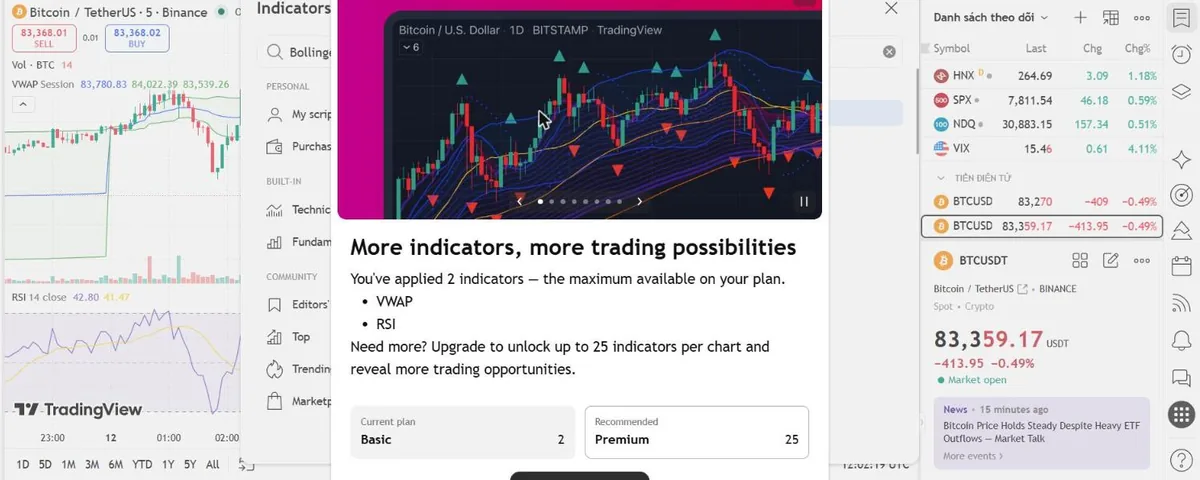
Short answer: TradingView's free Basic plan gives you one chart per tab, two indicators per chart, three price alerts, 5,000 bars of history and ads. You can stretch it a long way with the tricks below. Upgrade only when a limit costs you trades, not when it is merely inconvenient.
The free plan limits, in one table
| What | Basic (free) | Cheapest plan that lifts it |
|---|---|---|
| Charts per tab | 1 | Essential (2) |
| Indicators per chart | 2 | Essential (5) |
| Active price alerts | 3 | Essential (20) |
| Historical bars | 5,000 | Essential (10,000) |
| Saved chart layouts | 1 | Essential (5) |
| Parallel chart connections | 2 | Essential (10) |
| Alert duration | 1 month | Essential (2 months) |
| Indicator alerts and webhooks | Not included | Essential |
| Custom timeframes, intraday Bar Replay, volume profile | Not included | Essential |
| Ads | Yes | Essential |
Source: TradingView pricing page, checked October 2026.
Workarounds that actually help
1. Pick indicators that do two jobs
The two-indicator cap counts scripts, not lines. A single script can draw several moving averages, or combine bands with a trend filter. Search the public library for an indicator that bundles what you need, for example several EMAs in one, instead of adding the same moving average twice.
2. Draw instead of plotting
Support, resistance, trend lines, Fibonacci levels and horizontal rays are drawing tools, not indicators, so they do not count toward the cap. Many traders replace one indicator with a few well-placed horizontal levels.
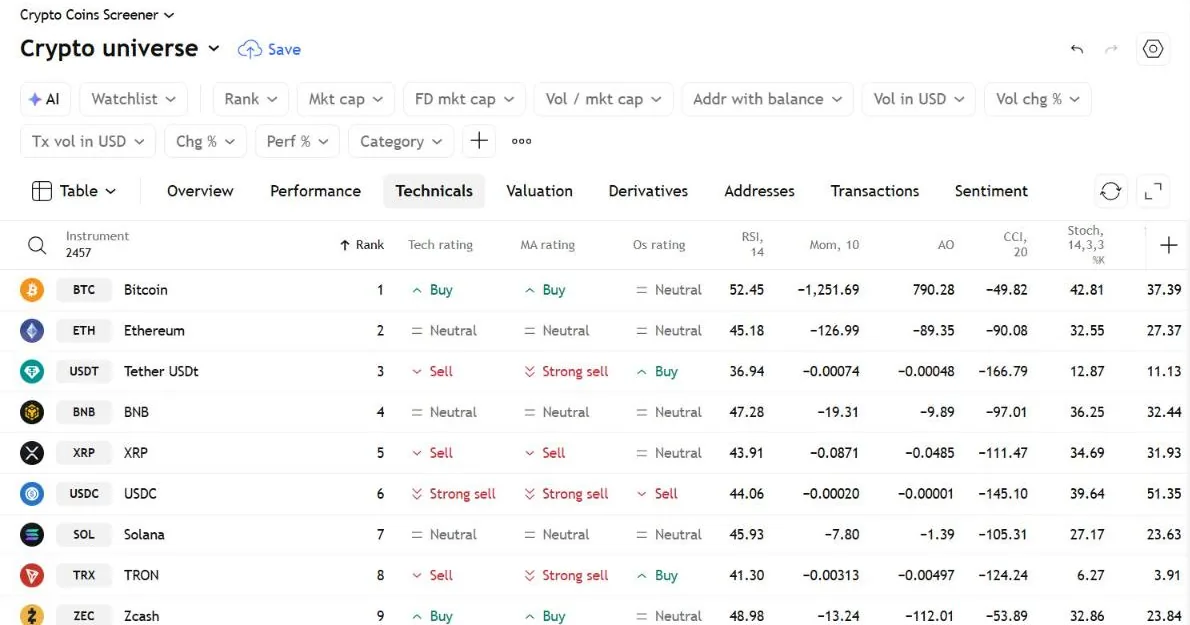
3. Let the screener check RSI and technical ratings for you
TradingView's screeners let you filter a whole list of symbols by RSI and show a technical rating column. Check those there, and keep your two chart slots for the indicators you need to see drawn on price, such as VWAP.
4. Make three alerts count
Put alerts only on levels you would actually trade, and delete them as soon as they fire or become irrelevant. Remember that free alerts expire after one month, so recreate long-term ones when they lapse.
5. Switch timeframes with keyboard shortcuts instead of extra charts
You only get one chart per tab, but you can flip timeframes in a second by typing the number (for example 5, then Enter for 5 minutes, or 1D for daily). It is slower than four charts side by side, but free.
6. Open a second browser tab for a second symbol
One chart per tab does not stop you opening another browser tab. Keep in mind the free plan allows two parallel chart connections, so more tabs than that will not all stream live data.
7. Use the watchlist and screener before charting
The watchlist and the stock, crypto and forex screeners help you narrow down symbols without spending your limited chart and alert slots.
Signs it is time to upgrade
- You remove an indicator you rely on every day just to add another.
- You miss entries because you only had three alerts.
- You want to send alerts to a bot or trade-copier (that needs webhooks, which start on Essential).
- You trade one market on several timeframes and keep losing your place switching between them.
If two or more of these are true, Essential is the cheapest fix, and Plus is the better fit for active day traders. Compare every plan in our guide: Is TradingView Premium worth it?, or answer five questions in the plan picker.
FAQ
Is the TradingView free plan really free forever? Yes. Basic has no time limit; you only pay if you choose a paid plan.
Can I use custom Pine Script indicators on the free plan? Yes, as long as you stay within the two-indicator limit per chart.
Does the free plan have real-time data? For many markets, including most crypto, yes. Some exchanges show delayed data unless you buy their real-time feed.
Last checked against TradingView's pricing page: October 2026.